Setting the Speed
On the Campaign Properties page (Fig. 1), Oceanic® allows you to choose from one of a number of speed settings, or you may specify your own (using the Custom option).
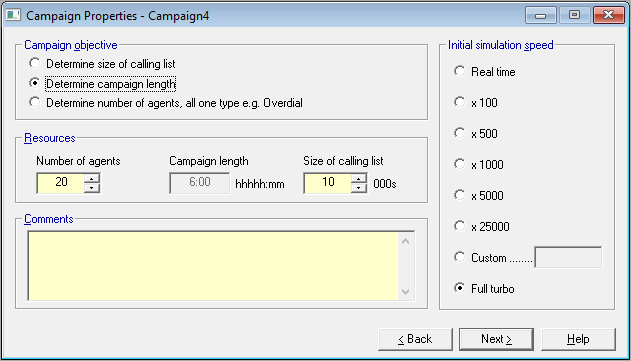
Maximum speed will be influenced by several factors, including
- processor speed
- numbers of agents
- agent talk times
- call outcome distributions
- the extent of real time updating your monitor is showing
You can set the speed of a campaign as a multiple relative to real time. So, if given your campaign parameters, an average throughput of say 10 calls in total a minute is indicated by Oceanic®, and Oceanic® is dialing at say 250,000 calls a minute, the speed multiple is calculated as 250,000/10 i.e. 25000.
 Real Time
If you select this mode, Oceanic® will dial in real time. So for example if you specify average talk and wrap times of 3 minutes, that's how long, by your watch, it will take for live calls to be logged, from the time the agent is connected to the called party.
Full Turbo
If you select this mode, then Oceanic® will simply go as fast as it can.
Other Settings
The other settings show the kinds of speeds you can expect to achieve, depending on your mix of campaign parameters, or simply the speed that you may feel best suits you. If your mix is holding your speed below the value you specify, then Oceanic® will dial at full turbo mode.
When a campaign is running, the speed in calls per minute will be shown in the Campaign Summary.