Manual to Predictive
The move from manual dialing to predictive dialing is the biggest step that can be taken, but a lot of call centers do it. If you haven't already done so, read the predictive dialing topic to see what it involves. Instead of having your calling list scattered around you on bits of paper, in phone directories and so on, it's sitting in a database on a host server.
Here are all the things to be aware of, as you work your way through the Campaign Wizard:
 Setup Times
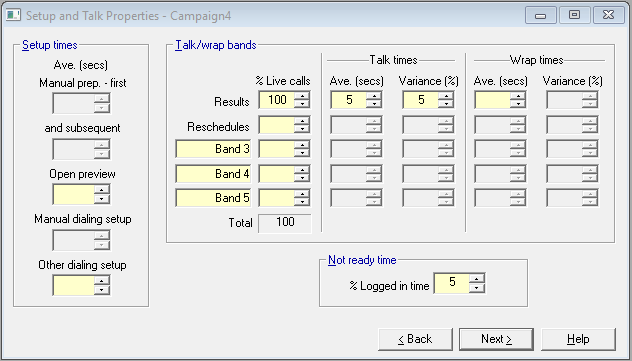
Fig. 1 - Setup and Talk Properties
The only time to consider here is dialing setup time.
See also Setup and Talk Properties.
Talk Bands
Fig. 2 - Talk Bands
Refer back to the third paragraph in the topic on Upgrading Your System for points to consider here.
See also Setup and Talk Properties.
Call Outcome Properties
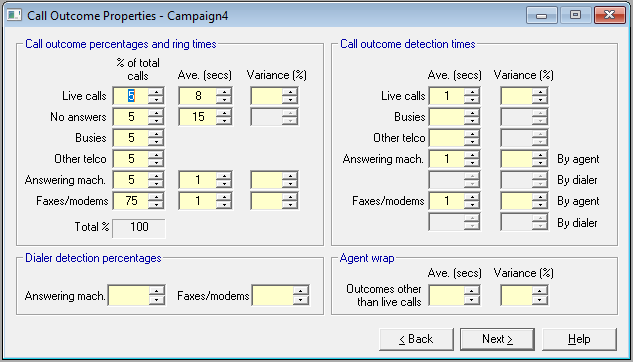
Fig. 3 - Call Outcome Properties
The first thing to note is that the practice on no answers will change. A manual agent chooses when to hang up, and times to no answer are likely to vary. Most dialers will set a fixed time to no answer for a campaign, with no variance, but in case you need it, we've left the variance cell available.
A good predictive dialer should be able to screen out most outcomes that are not live calls, but before you enter values for machine detection make sure you have read the Dialer Detection Issues section.
Extended Properties
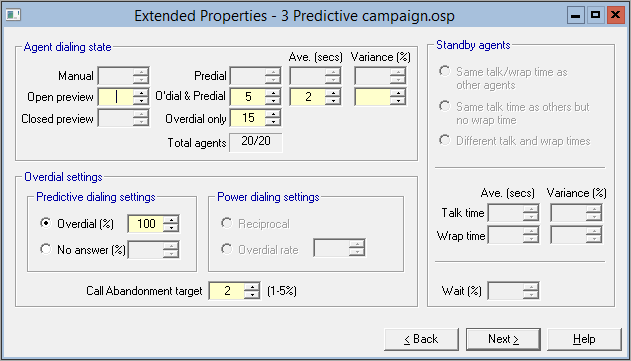
Fig. 4 - Extended Properties
The Wizard will now open up this page for you. To understand what is required, see the Extended Properties section.
You should also read Benchmarking Against Oceanic®. This material will tell you all you need to know to complete the transition to predictive dialing.